
If you’re looking to run DietPi on your Proxmox server, you’re in the right place! This lightweight, optimized Linux distribution is perfect for a range of applications and is easy to set up on Proxmox. In this guide, we’ll walk you through downloading the DietPi image, decompressing it, and configuring it as a virtual machine in Proxmox. Let’s dive in!
What is DietPi?
DietPi is a lightweight, Debian-based Linux distribution designed to be fast and efficient. It’s ideal for single-board computers, virtual machines, and low-resource systems. With its streamlined design, it’s a perfect choice for Proxmox environments.
Prerequisites
Before we begin, make sure you have the following:
- A working Proxmox server.
- SSH access or direct access to your Proxmox host.
- Basic command-line knowledge.
Steps to Install DietPi on Proxmox
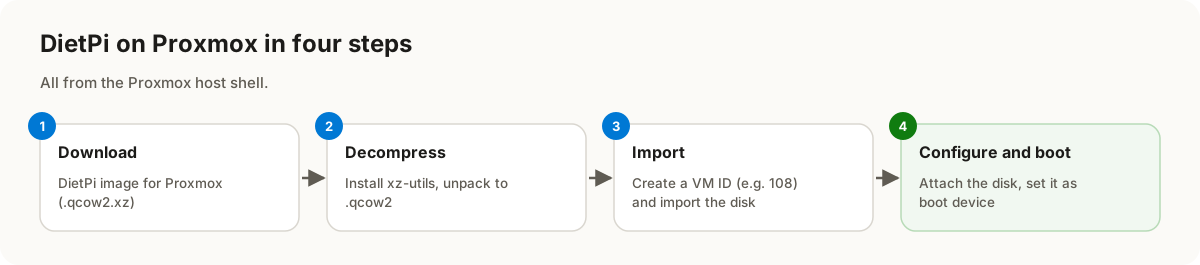
1. Download the DietPi Image
Start by downloading the DietPi image for Proxmox using the following command:
curl -O https://dietpi.com/downloads/images/DietPi_Proxmox-x86_64-Bookworm.qcow2.xz
This will fetch the latest DietPi image in .qcow2.xz format.
2. Decompress the Image
Before importing the image into Proxmox, decompress it using the xz-utils package. Install the package and decompress the image:
apt install xz-utils
xz -d DietPi_Proxmox-x86_64-Bookworm.qcow2.xz
Once decompressed, you’ll have a .qcow2 file ready for use.
3. Import the Image into Proxmox
Now, import the DietPi image into Proxmox. First, assign an ID for your new VM (e.g., 108), then run:
ID=108
qm importdisk "$ID" DietPi_Proxmox-x86_64-Bookworm.qcow2 local-zfs
4. Configure the VM Disk and Boot Settings
Next, configure the VM to use the imported disk and set it as the boot device:
qm set "$ID" --scsi0 "local-zfs:vm-$ID-disk-0"
qm set "$ID" --boot order=scsi0
At this point, your DietPi VM is ready to boot.
Reference
For additional details, visit the official DietPi Proxmox Documentation.
Conclusion
Installing DietPi on Proxmox is a straightforward process that combines the best of both platforms. With its lightweight and optimized performance, DietPi is a perfect addition to your Proxmox environment for running various applications. Follow this guide, and you’ll have DietPi up and running in no time!