
CloudGuru

Articles

40 published

Monitoring3 min read

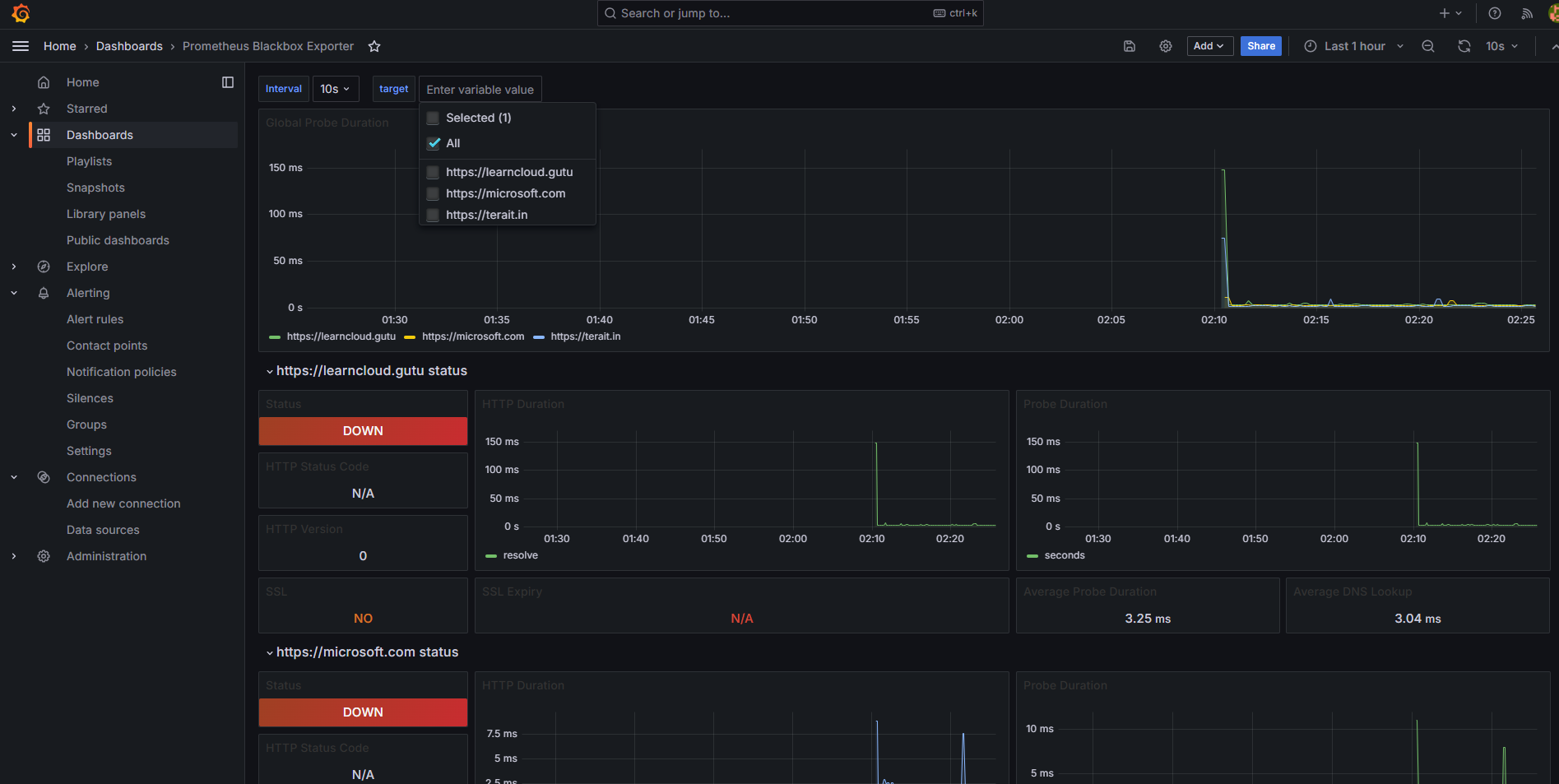
Guide on Configuring Prometheus Blackbox Exporter and Grafana

The Prometheus Blackbox Exporter is a flexible and powerful tool used to monitor endpoints over various protocols such as HTTP, HTTPS, TCP, and ICMP (ping). This guide will walk you through everything you need to know about setting up and configuring the Blackbox Exporter with Prometheus, including writing configurations, setting up Docker Compose, and using …
Uncategorized3 min read

Elevate Security: Configuring FIDO2 Security Keys as the Default Login Option for Windows Devices

As organizations embrace the transition to passwordless authentication, FIDO2 security keys have emerged as a robust, user-friendly solution. These keys not only enhance security but also streamline the login experience for end-users. This guide explores how to configure FIDO2 security keys as the default login option for Windows devices, utilizing Microsoft Intune to simplify deployment and management. Why Choose …

UncategorizedElevate Security: Configuring FIDO2 Security Keys as the Default Login Option for Windows Devices
Entra External ID2 min read

Setting up the Microsoft Entra Connect Health Agent on multiple servers.

Step 1: Create a Dedicated User Account in Microsoft Entra ID Step 2: Download the Health Agent Setup Step 3: Run PowerShell Script to Install and Register the Health Agent Use the following PowerShell script to silently install and register the health agent on multiple servers. You’ll use PowerShell Remoting (Invoke-Command) to perform this on …

Entra External IDSetting up the Microsoft Entra Connect Health Agent on multiple servers.
Azure1 min read

How to Check and Update Azure VM Extensions for the Azure Monitor Agent

If you’re working with Azure VM extensions like the Azure Monitor Agent and want to ensure your extensions are up-to-date, here’s a quick guide on verifying the current version and updating to the latest. Step 1: Check the Current Version of the VM Extension You can check which version of an extension is installed on …

AzureHow to Check and Update Azure VM Extensions for the Azure Monitor Agent
Entra ID2 min read

Azure AD or Entra ID Connect Configuration Documenter

In today’s post, I’ll explain how to use the Azure AD or Entra ID Connect Configuration Documenter to compare configurations between two Azure AD Connect servers. This tool is valuable for documenting, troubleshooting, and ensuring configuration consistency in environments that use Azure AD Connect for identity synchronization. The Azure AD Connect Configuration Documenter is a …

Entra IDAzure AD or Entra ID Connect Configuration Documenter
Entra ID Connect1 min read

How to Install Entra ID Connect using Interactive Authentication Mode

Entra ID Connect (formerly Azure AD Connect) helps you sync on-premises identities with Entra ID (Azure Active Directory), providing a seamless sign-in experience for users. Below is a step-by-step guide on how to install Entra ID Connect using Interactive Authentication mode. Step 1: Open Command Prompt as Administrator First, open a command prompt with elevated …

Entra ID ConnectHow to Install Entra ID Connect using Interactive Authentication Mode
WHFB9 min read

PowerShell script that provides two main options for setting up a Kerberos Server object

Below is a streamlined PowerShell script that provides two main options for setting up a Kerberos Server object in Active Directory and publishing it to Microsoft Entra ID. This approach simplifies the process by offering distinct choices, ensuring clarity and ease of use. Options: Prerequisites: Complete PowerShell Script Save the following script as Setup-EntraIDKerberosServer.ps1: <#.SYNOPSIS …

WHFBPowerShell script that provides two main options for setting up a Kerberos Server object
WHFB5 min read

Cloud Kerberos Trust for Windows Hello for Business : A Step-by-Step Guide

In today’s world, securing access to corporate devices is more crucial than ever. Windows Hello for Business provides an advanced and user-friendly solution to enhance security through biometrics like facial recognition, fingerprint, or PIN-based authentication. In this post, I’ll guide you through setting up and configuring Windows Hello for Business for your organization. What is …

WHFBCloud Kerberos Trust for Windows Hello for Business : A Step-by-Step Guide
Entra ID3 min read

Bulk assignment of an Access Package

To assign an Access Package to 1,000 users in Azure Active Directory (Entra ID) using Entitlement Management in Azure Identity Governance, you can either use the Azure Portal or automate it via PowerShell or Microsoft Graph API, which is more efficient for large-scale assignments. Here are the steps for each method: Method 1: Using Azure …

Entra IDBulk assignment of an Access Package
Entra ID4 min read

Automating User Photo Management in Microsoft Entra ID using Microsoft Graph API and PowerShell

Managing user profile photos within Microsoft Entra ID (formerly Azure AD) can be tedious if done manually, especially for large organizations. In this post, I will walk you through automating two key tasks using PowerShell and the Microsoft Graph API: By the end of this guide, you’ll be able to retrieve all users, identify those …

Entra IDAutomating User Photo Management in Microsoft Entra ID using Microsoft Graph API and PowerShell
Entra ID3 min read

Managing TLS 1.2 on Microsoft Entra Connect: A Comprehensive PowerShell Script for Enable, Disable, Check, and Uninstall

Here’s a PowerShell script that allows you to enable, check, disable, or uninstall TLS 1.2 on your Microsoft Entra Connect server. It prompts the user for an option and performs the corresponding action: Get-ADSyncToolsTls12RegValue { [CmdletBinding()] Param( [Parameter(Mandatory = $true, Position = 0)] [string]$RegPath, [Parameter(Mandatory = $true, Position = 1)] [string]$RegName ) $regItem = Get-ItemProperty …

Entra IDManaging TLS 1.2 on Microsoft Entra Connect: A Comprehensive PowerShell Script for Enable, Disable, Check, and Uninstall
Entra ID Connect2 min read

TLS 1.2 enforcement for Microsoft Entra Connect

Enforcing TLS 1.2 in Microsoft Entra Connect involves configuring your server to use this secure communication protocol exclusively. This step is essential for environments using versions 2.3.20.0 or later of Microsoft Entra Connect, as these versions require TLS 1.2 for secure communication with Azure. Checking TLS 1.2 Configuration: Use the following PowerShell script to verify …

Entra ID ConnectTLS 1.2 enforcement for Microsoft Entra Connect
MFA5 min read

Implement Multi-Factor Authentication (MFA)

Convincing an organization to implement Multi-Factor Authentication (MFA) involves focusing on security, user experience, and compliance while addressing common concerns about cost, complexity, and user resistance. Below is a structured approach to convince and implement MFA within an organization: Step 1: Understand the Organizational Needs Before recommending MFA, assess the organization’s current environment: Step 2: …

MFAImplement Multi-Factor Authentication (MFA)
PIM4 min read

Implementing Privileged Identity Management (PIM)

Implementing Privileged Identity Management (PIM) in an organization requires both technical justification and strategic communication to highlight the benefits. Convincing an organization to adopt PIM typically involves focusing on security, compliance, and operational efficiency while addressing potential concerns like costs and complexity. Here’s a structured approach to convincing and implementing PIM in an organization: Step …

PIMImplementing Privileged Identity Management (PIM)